Print the code once. Repoint it forever.
A printed QR code is permanent — but the campaign behind it isn't. TrackrQR gives every code a short, stable link, so you can send scans anywhere, change the destination anytime, and measure every scan on a clean dashboard.
No reprints. No app to install. Your codes, your data.

Same printed code · new destination · zero reprints
See it in action
The data you'll gather from every scan
Manage all your codes from one dashboard, then drill into any code for a full analytics breakdown.
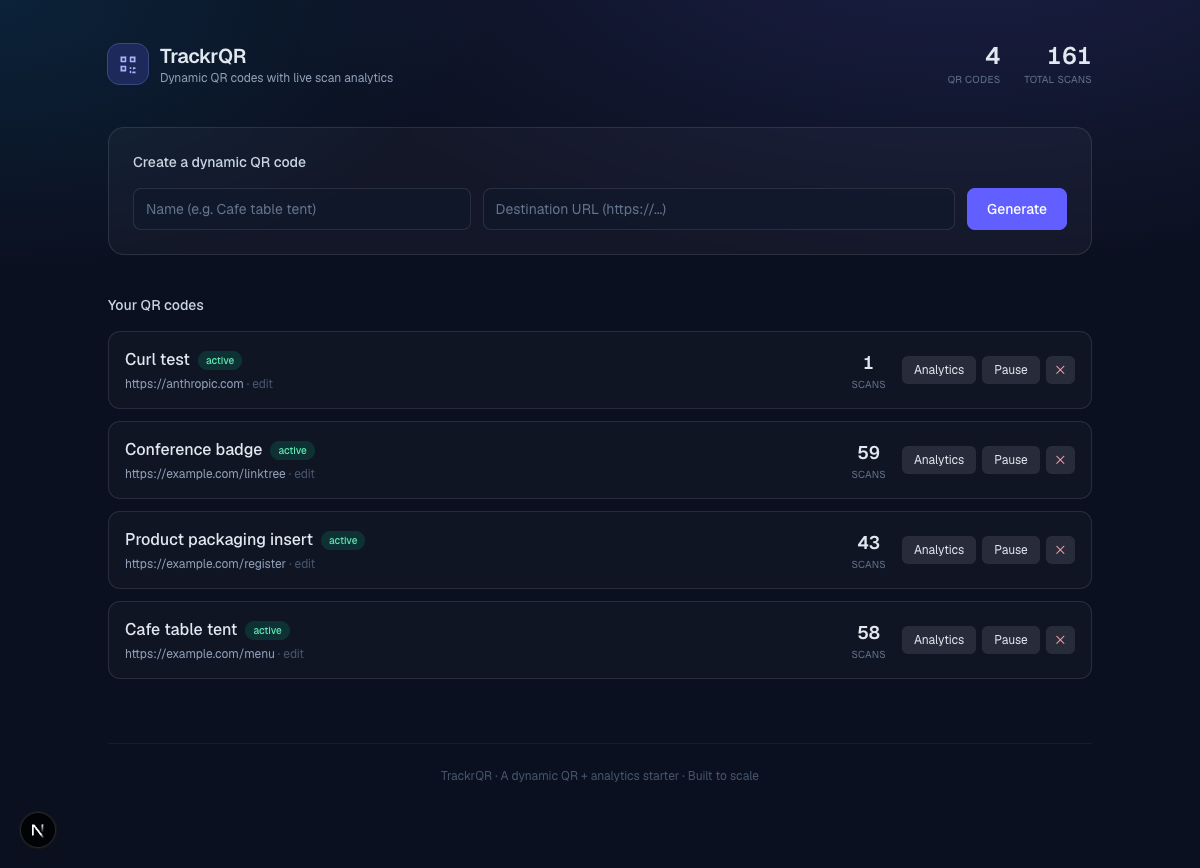
Every code at a glance — live scan counts, status, and one-click repoint.
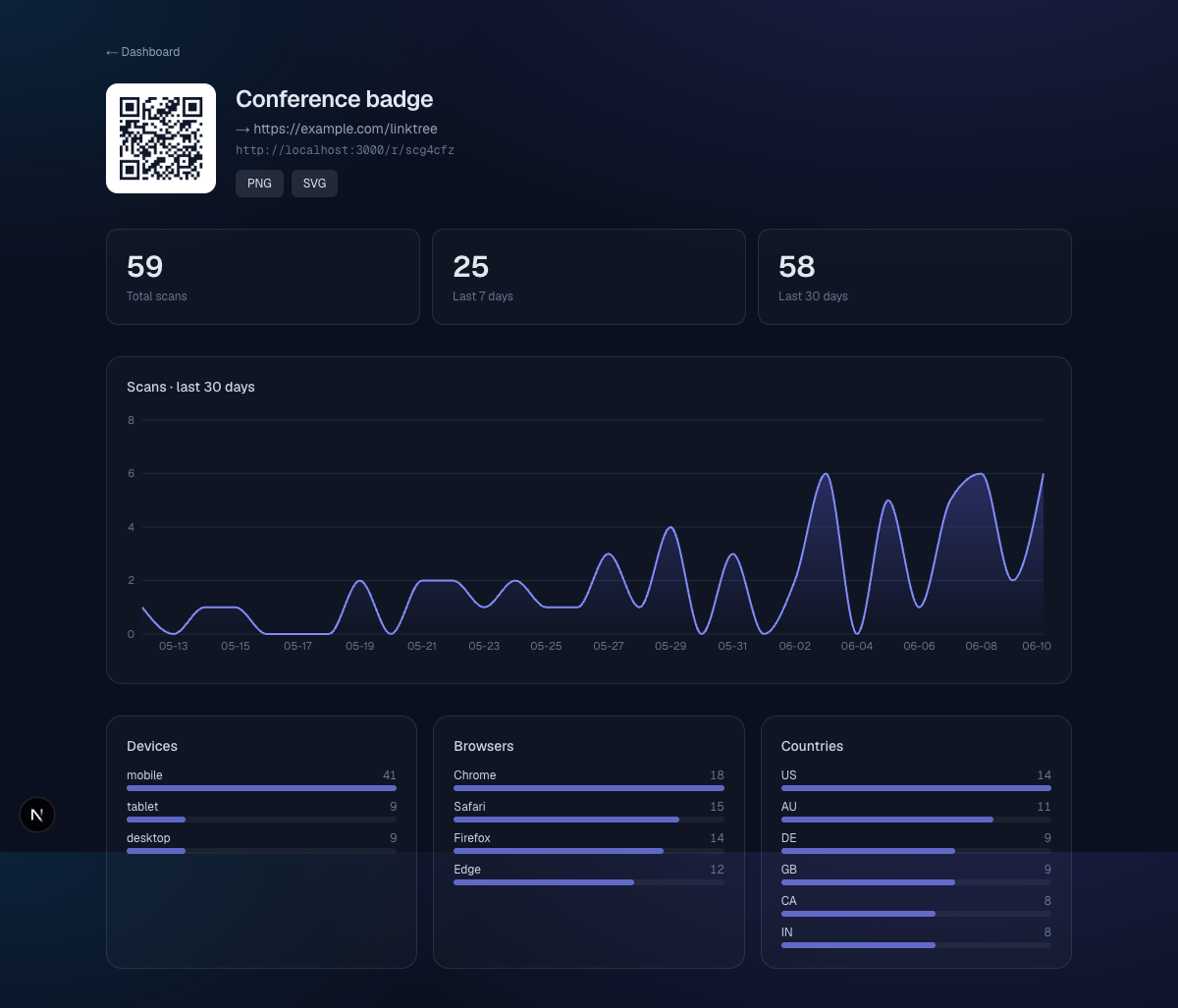
Scan volume over time, plus device, browser, and country breakdowns.
Analytics
Measure what actually happened
Each scan is logged the instant it redirects — no SDK, no tracking pixel, no cookie banner on your printed code.
Why TrackrQR
Built for codes that outlive the campaign
Repoint anytime
Change a code's destination in one click. The printed QR never changes — what it points to does.
Live scan analytics
Volume over time plus device, browser, and country breakdowns, updated on every redirect.
Custom branding
Set foreground & background colors and drop a logo in the center so the code matches your brand.
One stable short link
Every code encodes one short link that never changes. Repoint the destination as often as you like — the printed code keeps working, and the scan data stays yours.
PNG & SVG export
Download print-ready vectors or raster images, sized for table tents, packaging, or billboards.
Pause & resume
Temporarily disable a code without deleting it — perfect for seasonal or out-of-stock campaigns.
How it works
Three steps to a smarter QR code
Generate
Create a dynamic code with a name and destination. Brand it with your colors and logo, then download the PNG or SVG.
Print & place
Put it on packaging, menus, badges, posters — anywhere. The code encodes a short link, not the destination, so the printed code never has to change.
Track & repoint
Watch scans roll in by time, device, browser, and country — and change where the code goes whenever the campaign shifts.
Give your printed codes a second life
Spin up your first dynamic QR code in under a minute — then watch the scans, and repoint whenever you need to.
Questions or need a hand? Email us at support@trackrqr.com